You started because you loved the work. This shows you if the business is paying.
Cash flow in Square Away is a 12-week look ahead built from the bank balance you type in, your bills and your shop's real jobs, with the low point up top so you see a tight week before you get there.
Nobody opens a shop to stare at a bank account. But a slow month, a big lumber order and the rent all landing in one week is how good shops get squeezed. Cash flow puts the next 12 weeks on one screen, in plain dollars, so you can fix a tight week while it's still weeks away.
Comes with the Shop and Crew plans← Back to every tool
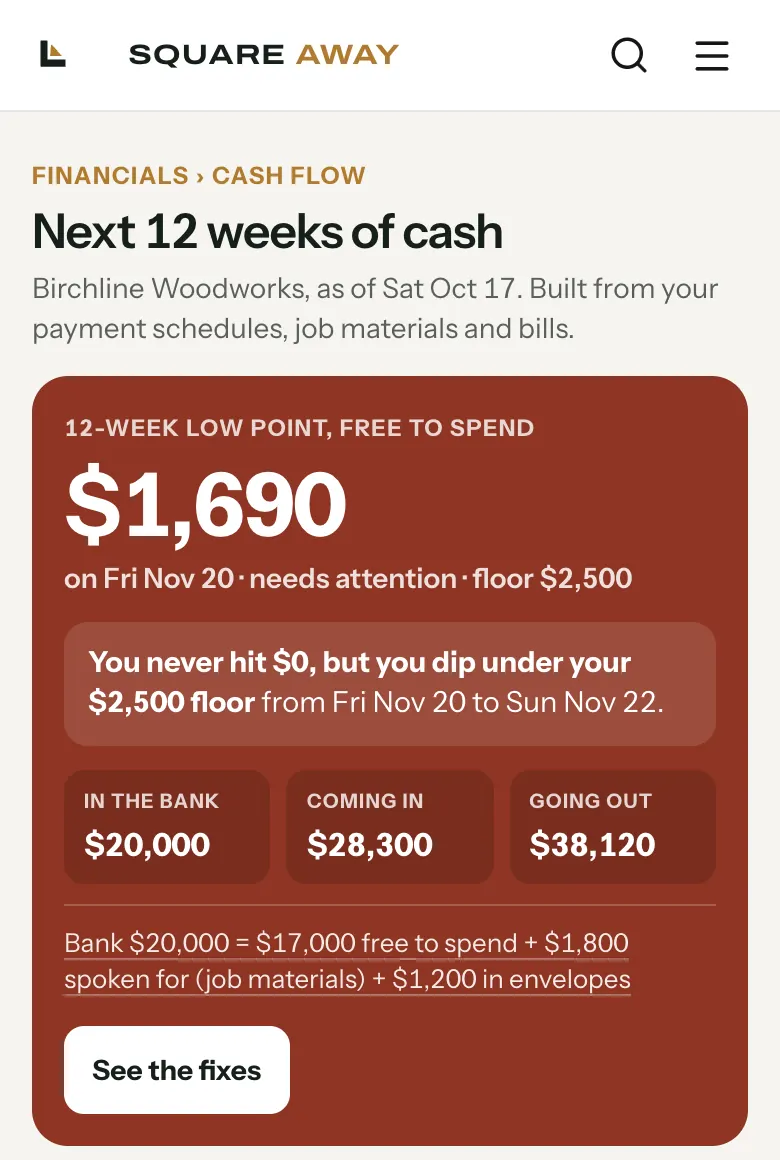
From your bank balance to the next 12 weeks.
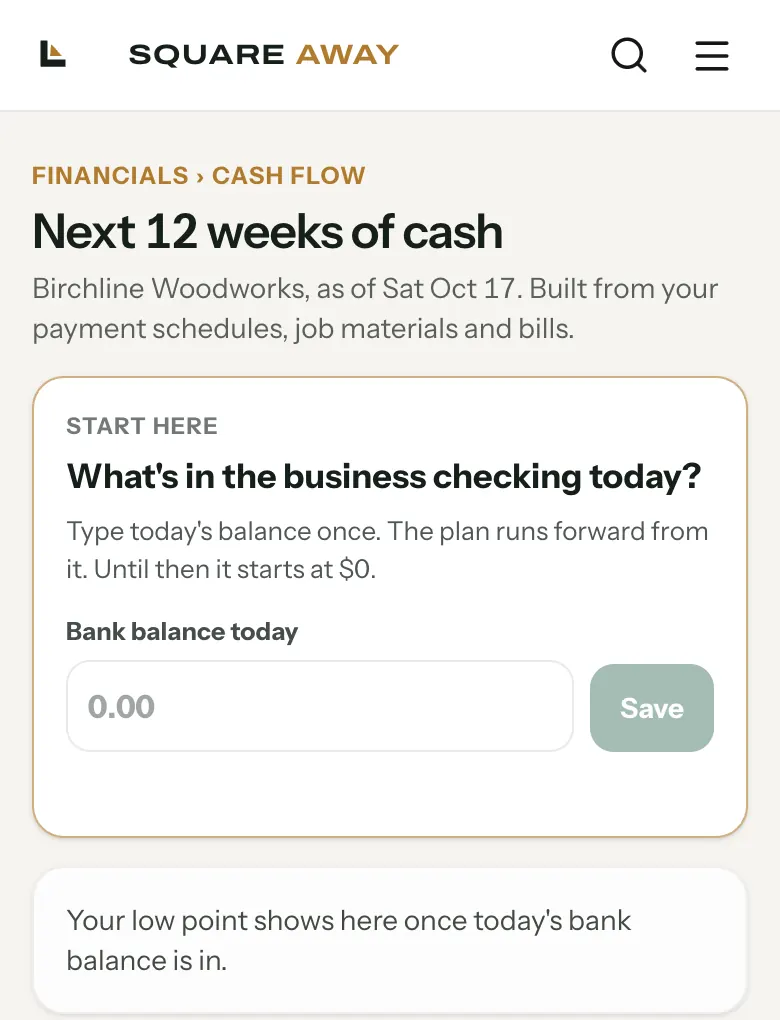
Type today's balance
What's in the business checking today? Type it once and the plan runs forward from it.
Bills, entered once
Rent, insurance, the shop phone. Each one repeats on its own schedule.
Your jobs fill in the rest
Payments due on your jobs' payment schedules come in. The materials each job still needs to buy go out.
The low point, up top
The lowest your free-to-spend cash gets in the next 12 weeks, and the day it happens.
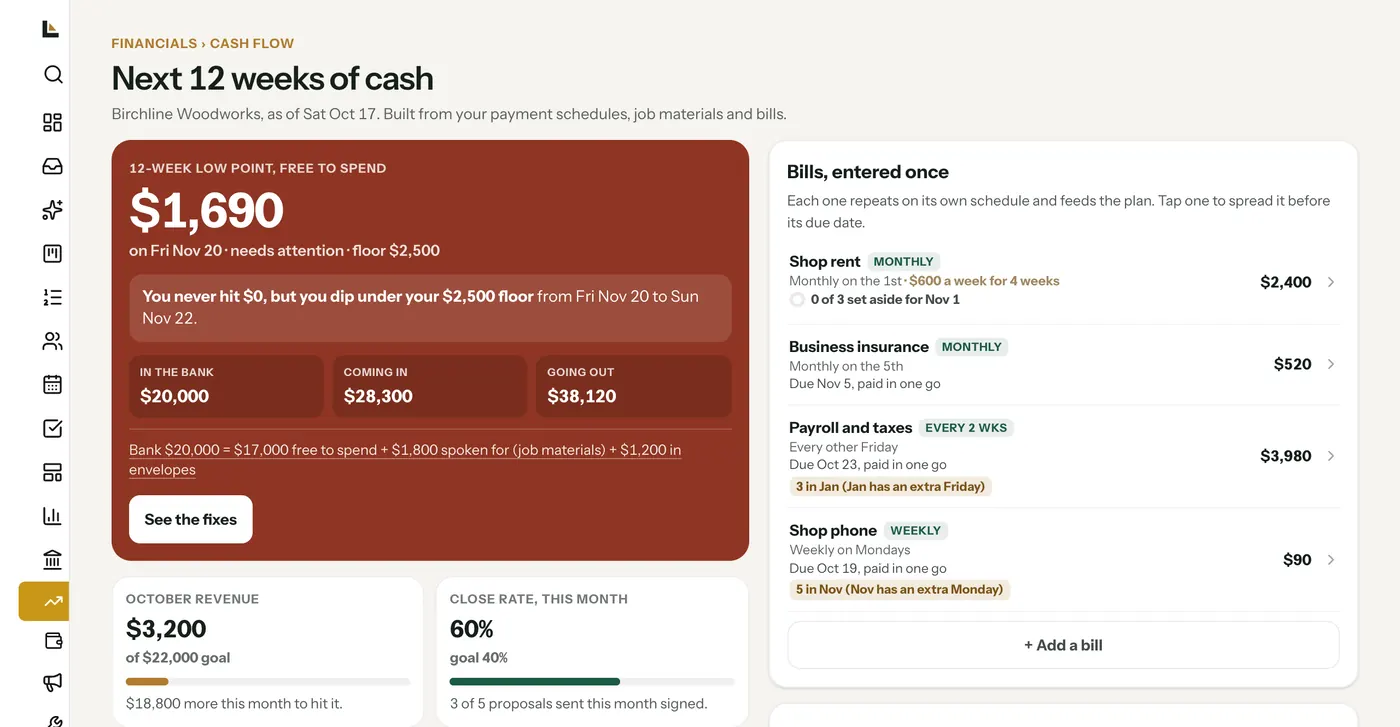
Set the least you want in the bank. It tells you when you'll dip under it.
Pick a safety floor. When a week drops below it, Cash flow shows you where, how low, and what you can do about it. Fair fixes only: nobody gets asked to pay early.
- Request what's already due. If a payment is due on the schedule, one tap requests it. It only sends when you tap.
- Fill the gap. Book more work instead. It drafts a small-job offer and follow-ups for you to review. Nothing sends.
- See it coming. The low point and its day sit at the top of the page, every time you open it.
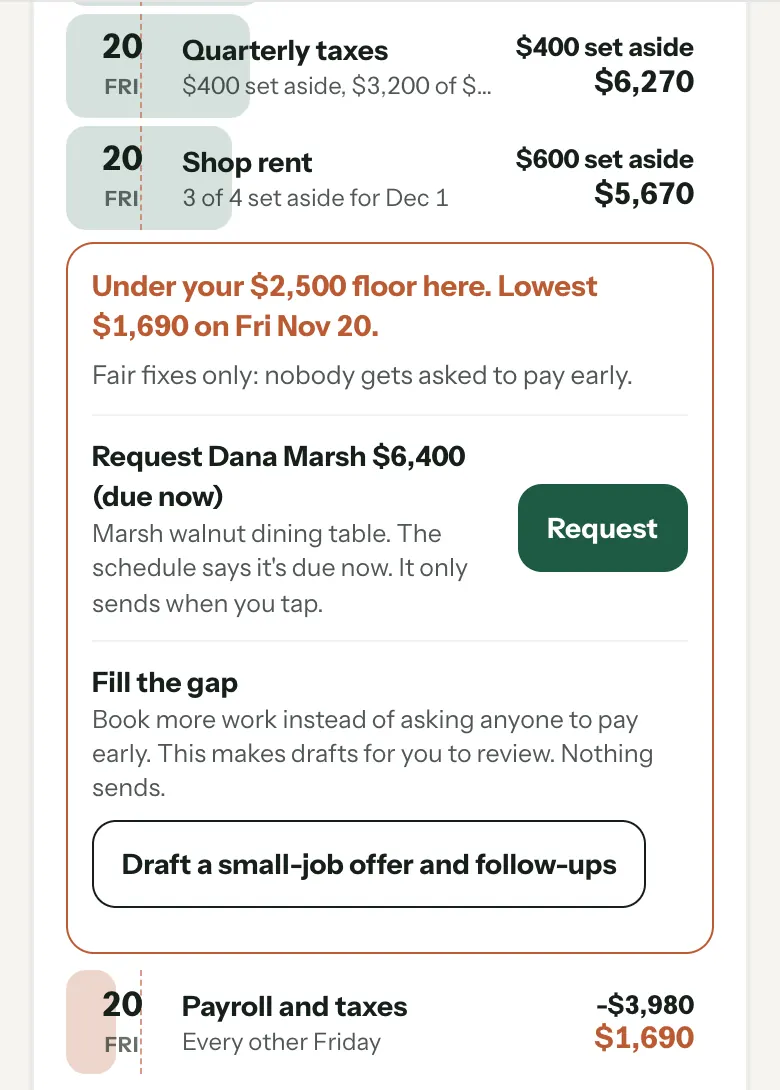
Spread the rent so it never lands in one week.
Tap any bill and spread it across the weeks before it's due. Set aside a little each week on your shop's set-aside day, Fridays in the sample shop, and the bill is covered before the due date shows up. Or keep it all on one day, or set your own amounts.
Money that's already spoken for stays spoken for.
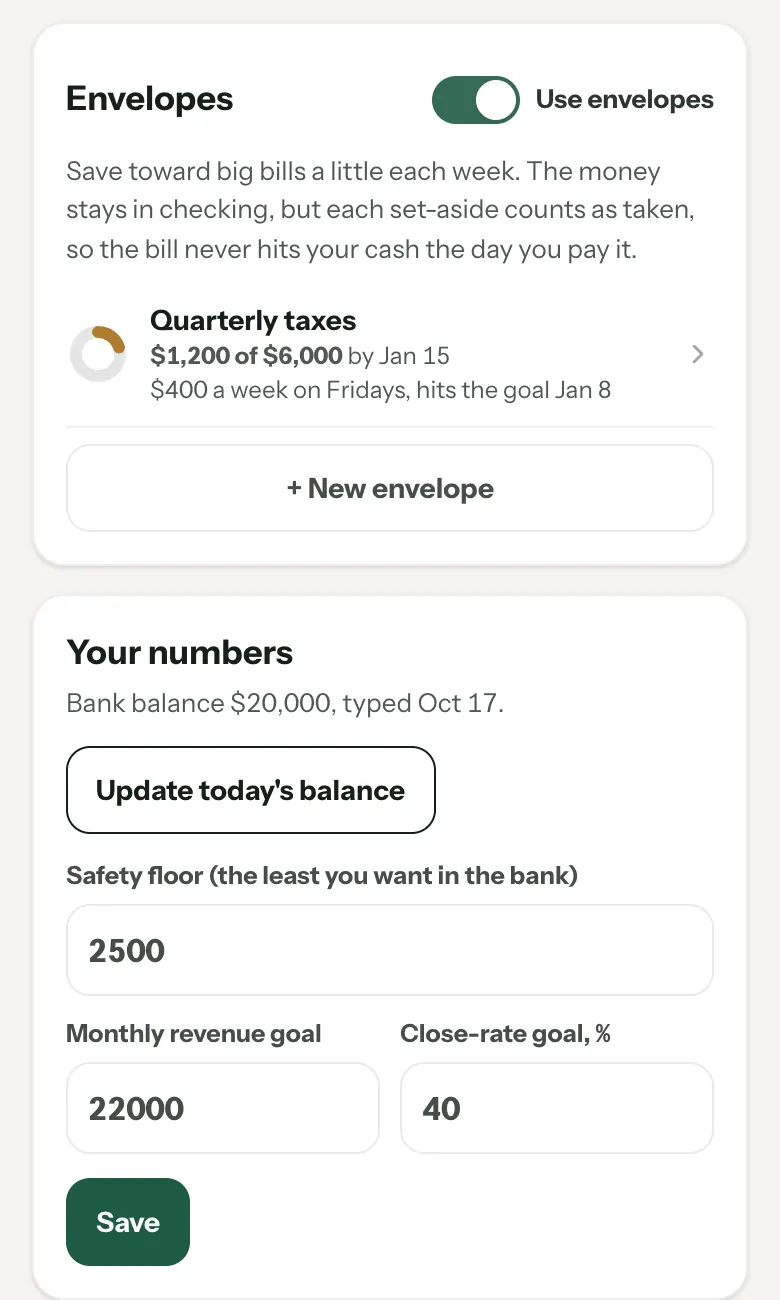
Make an envelope for quarterly taxes, a new saw or a slow season. Save toward it a little each week. The money stays in checking, but each set-aside counts as taken, so the bill never hits your cash the day you pay it.
- A name, a goal and a date. It suggests the weekly amount, and shows the day you'll hit the goal.
- Your floor, your goals. Safety floor, monthly revenue goal and close-rate goal, all in one place.
A couple of minutes once a month keeps it honest.
Early each month, if you haven't typed it in yet, you get a quick reminder by push and email to put in your bank balance, and the next 12 weeks update from it. If money looks tight in the next 3 weeks, you get a heads up on Monday or Thursday. Never more than two in a week, and each owner can turn the reminder off in their notification settings.
What the job was supposed to cost, and what it did.
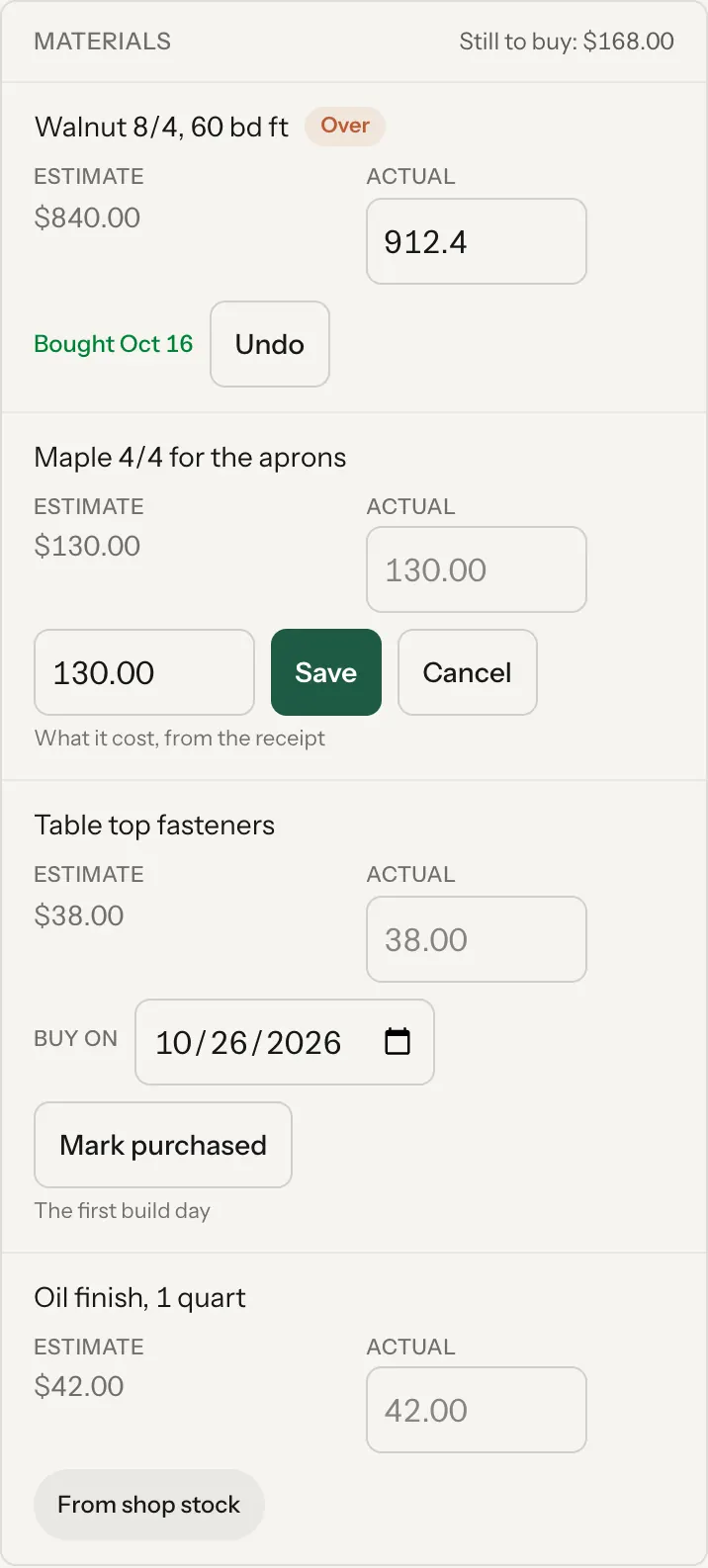
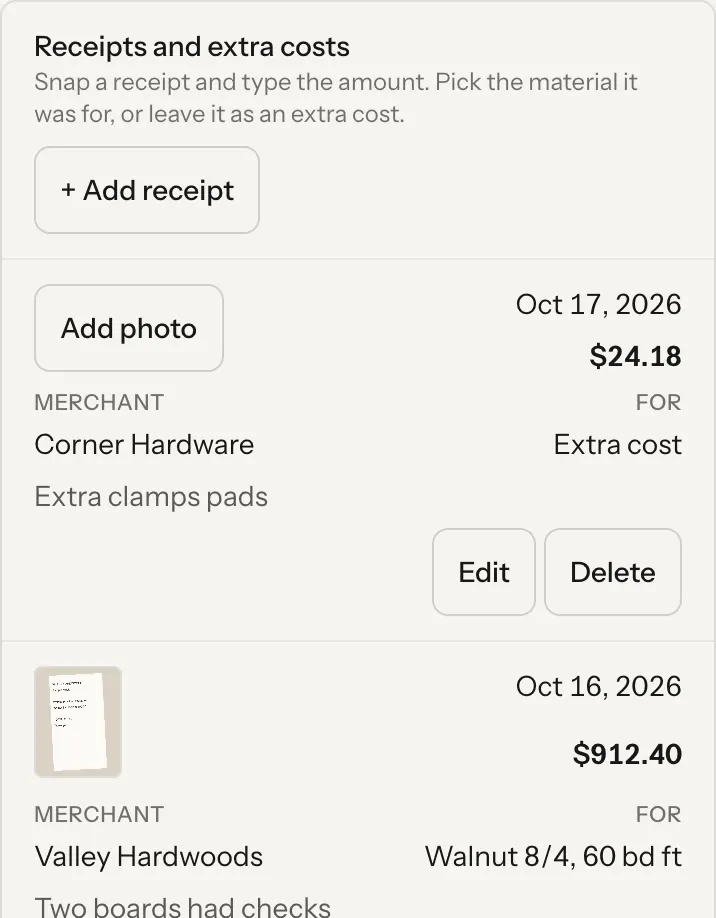
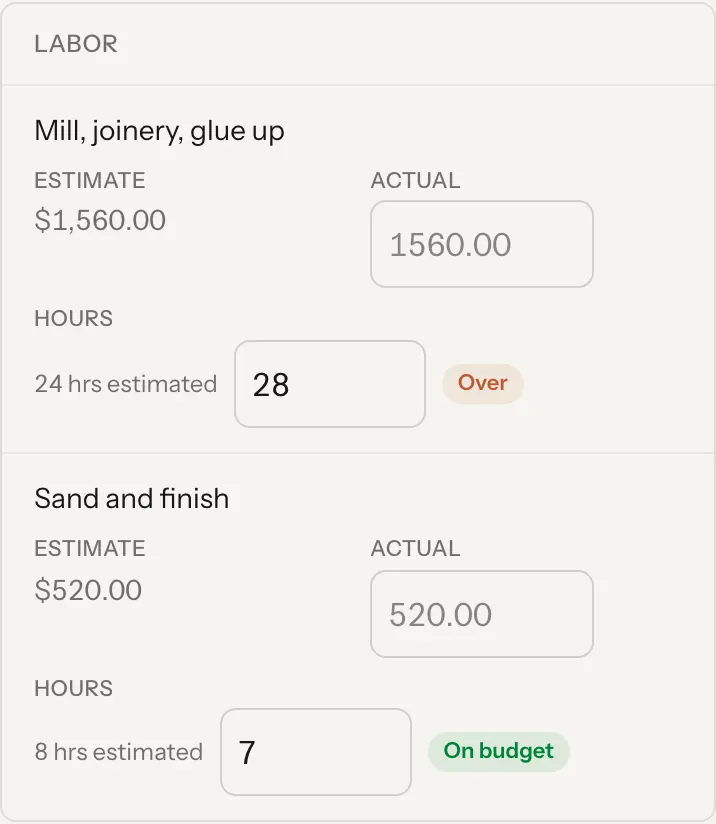
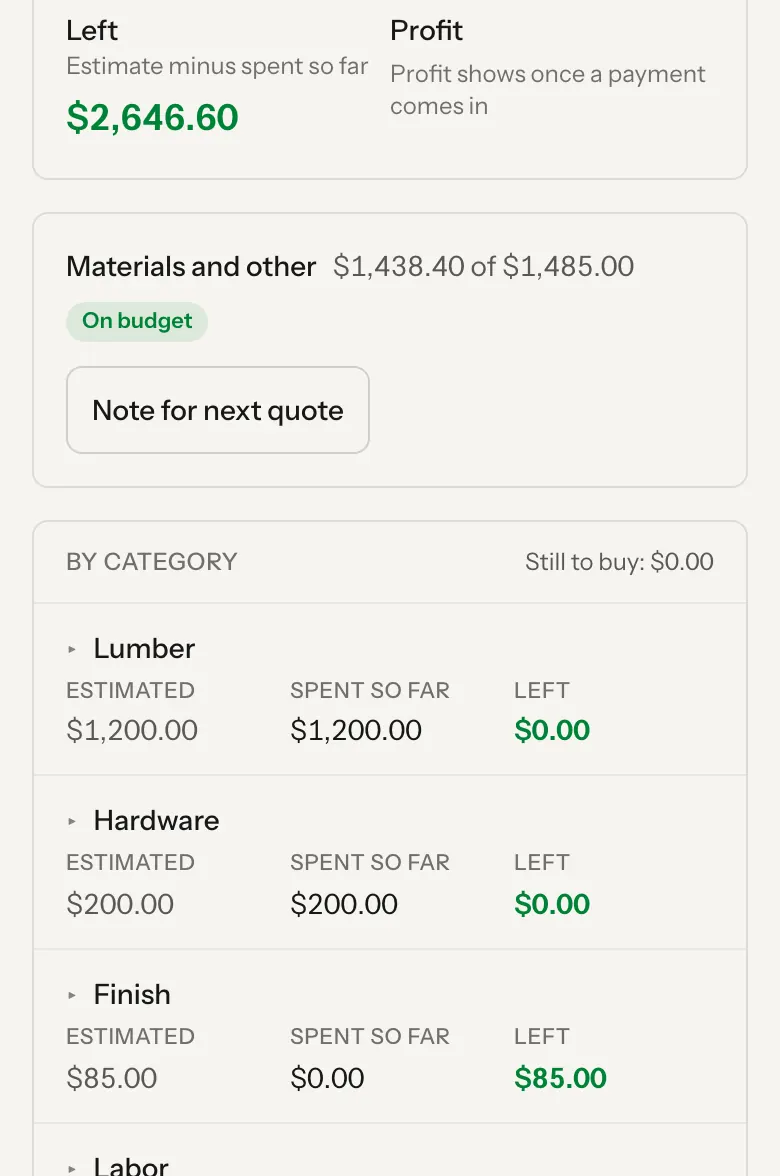
Job costing lives on every job's Financials tab. Mark materials purchased with what the receipt said, snap a photo of the receipt, put in your hours, and see Estimated, Spent so far and Left for every category. Profit shows once a payment comes in.
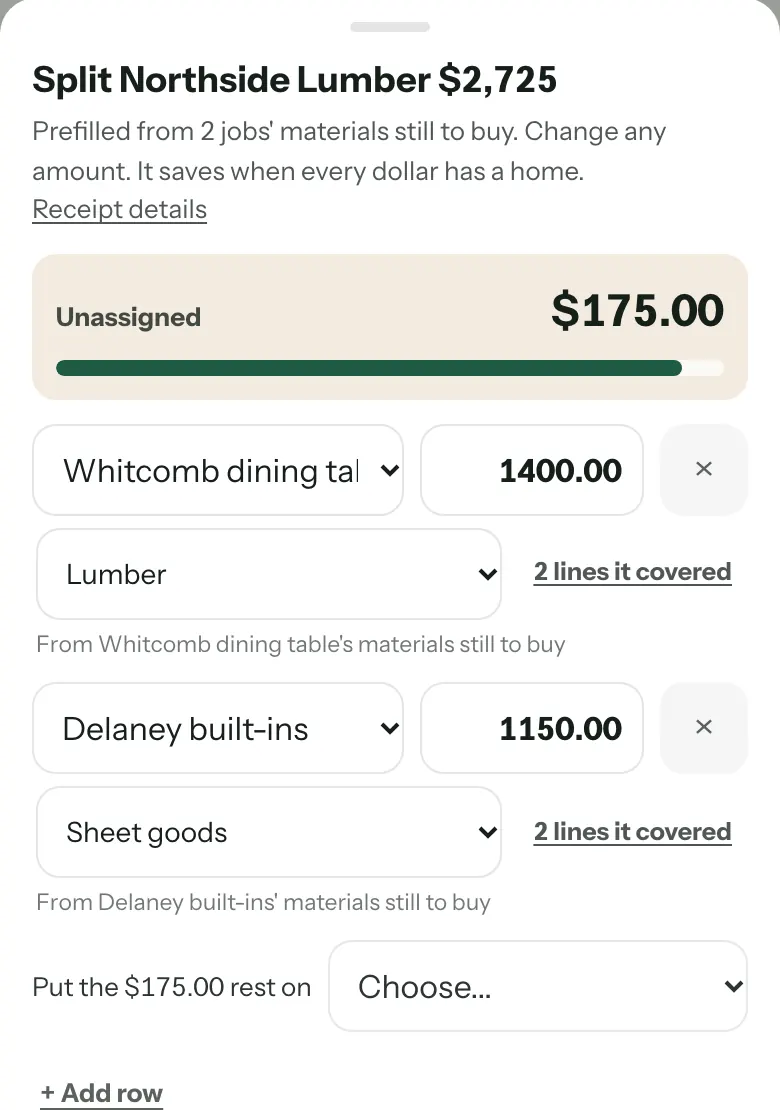
One trip to the lumber yard, split across the jobs it was for.
Add the receipt once, then split it. It prefills from what each job still needs to buy, and you change any amount. Add row for another job. Whatever's left goes on shop supplies or a job, and it saves when every dollar has a home.
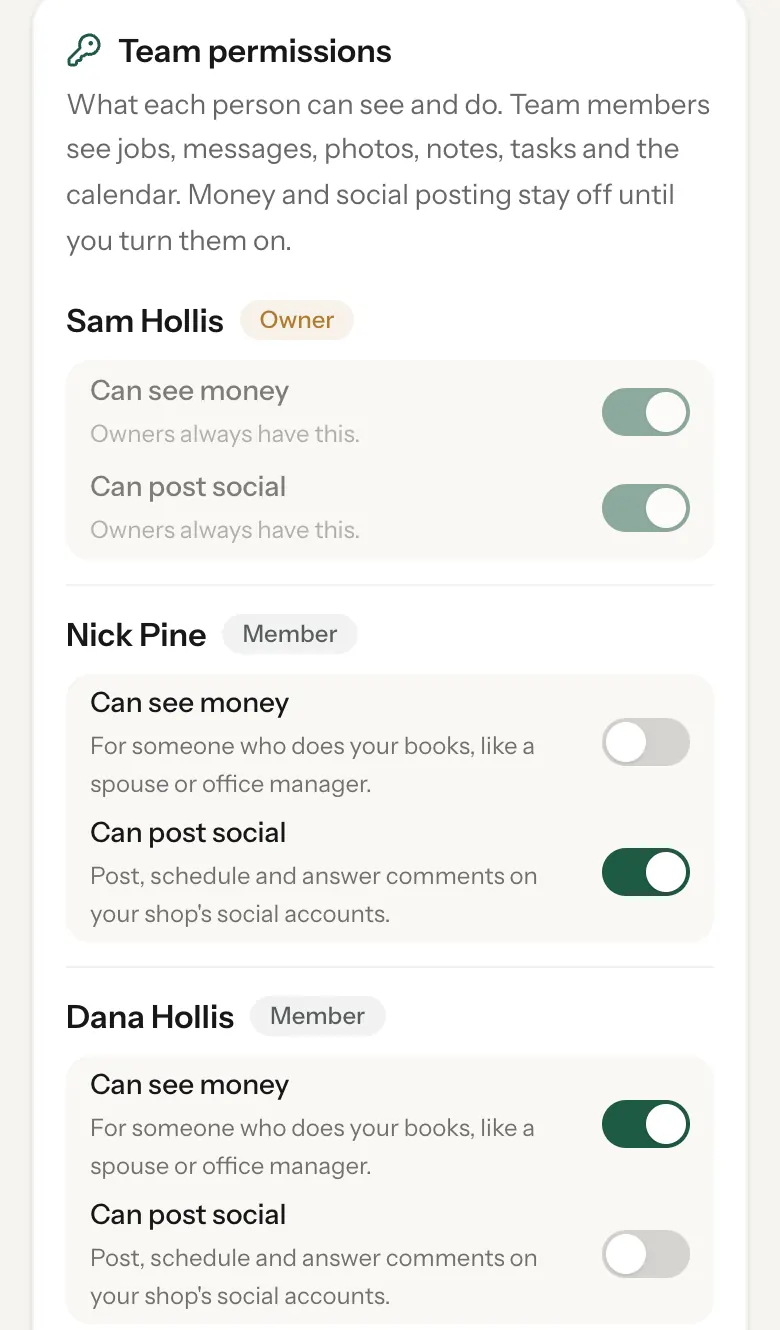
Your numbers stay yours.
Team members see jobs, messages, photos, notes, tasks and the calendar. Money stays off until you turn on "Can see money" for that person, like a spouse or office manager who does the books.
- Your bookkeeper or CPA. Give their seat read-only cash flow. They see the plan and the bills and can't change anything.
- Year end in two files. Your bookkeeper downloads an Expenses CSV and a zip of every receipt photo.
- Only your login changes it. Only the shop's owner can turn these on or off.
Cash flow in a couple of minutes.
What it does, and what it leaves to you.
No bank login. Type what's in checking and the plan runs from there. Once a month keeps it honest.
It runs off your payment schedules and bills. When a client pays late, the plan moves with it.
Payment requests send only when you tap. Offers and follow-ups are drafts for you to review.
Cash flow and job costing come with Shop ($89 a month) and Crew. Bench ($29) has sales reports.
Bring your bills to the setup call.
Bring your rent, your bills and one real job, and we'll set up your next 12 weeks together, on your account.