How do I estimate a cabinet job and make a cut list?
Break the job into boxes, list every part of every box with its finished size and material, and lay those parts out on sheets to get your sheet count. Then price it: sheets and lumber, doors, drawer boxes and hardware, your shop hours, overhead and margin. The cut list and the estimate come from the same parts list, so build that first and the rest follows.
Most bad cabinet quotes come from guessing the sheet count and the hours. Do the parts list first and both stop being guesses.
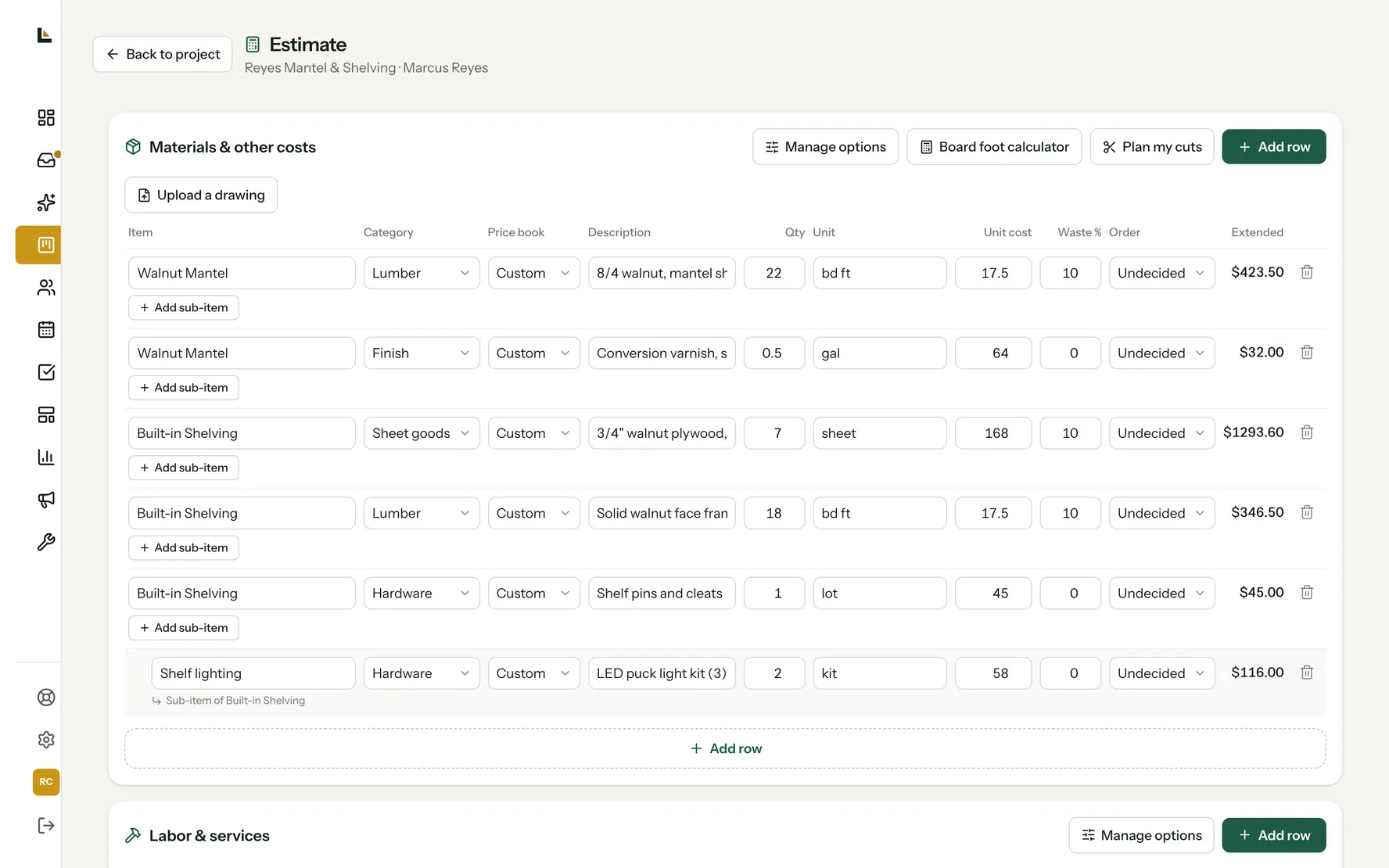
Estimating a cabinet job, start to finish.
Measure the room and list the boxes.
Wall lengths, ceiling height, windows, appliances and fillers. Then write the run as boxes: a 36 inch sink base, two 18 inch drawer bases, and so on.
Decide how you build, once.
Box material, face frame or frameless, back thickness, toe kick, how shelves and drawers go in. Build every job the same way and the parts list stops changing on you.
Write the parts list for every box.
Sides, bottom, top or stretchers, back, shelves, face frame parts. Give each part a label, a finished size, a count, a material and the grain direction where it shows.
Lay the parts on sheets for the sheet count.
Group parts by material and thickness, count the blade kerf, and lay them out on full sheets. The number of sheets that layout takes is what you buy, plus a spare on a big job.
Price the materials.
Sheets, hardwood for face frames, edge banding by the foot, doors and drawer boxes whether you buy them or build them, hinges, slides and pulls. Use what you really pay, not last year's price.
Add your hours.
Use your own numbers from past jobs: hours per box, plus finishing and install. If you don't know them yet, start tracking them on this job.
Add overhead, contingency and margin.
Overhead keeps the lights on, contingency covers the surprises, and margin is the profit. Set them once and use them on every job so your quotes are consistent.
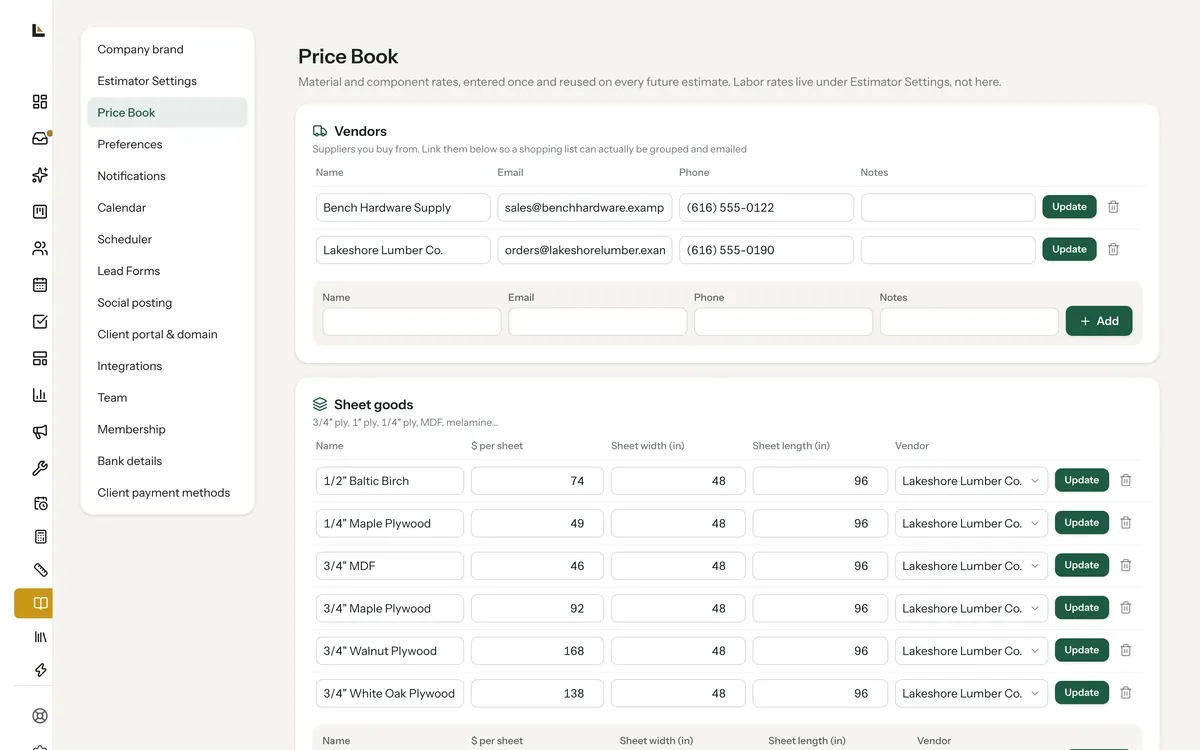
A price book does the looking up for you.
In Square Away the Price Book holds what you pay for sheet goods by the sheet, edge banding and hardwood by the foot, and doors, drawer boxes, slides and hinges by the unit, with the vendor. Pick an item on the estimate and its cost fills in. Overhead, contingency, target margin and sales tax come from your estimator settings, so you're not retyping them on every job.
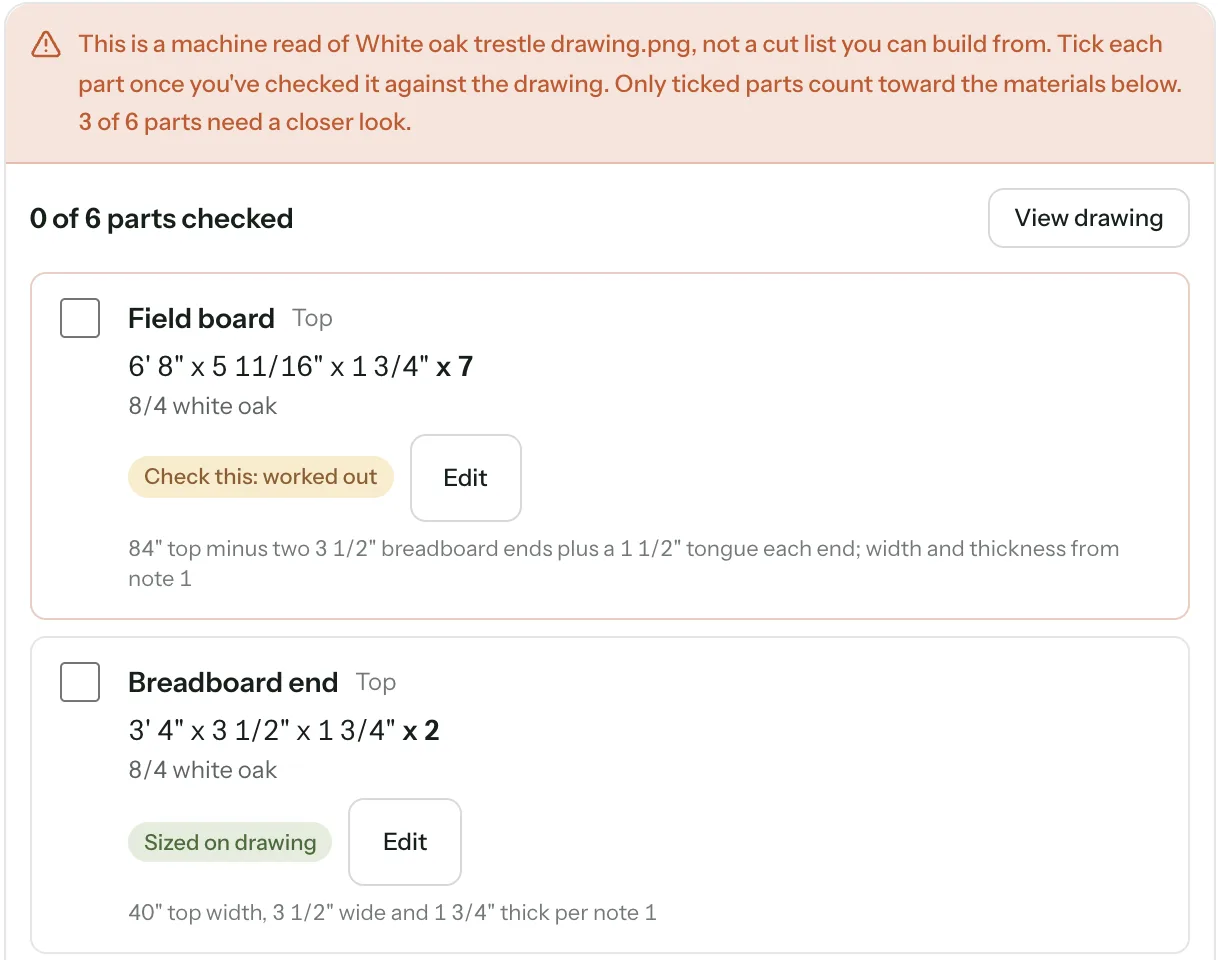
Read the parts in instead of retyping them.
On the Shop and Crew plans you can upload a cut list, a designer's PDF or a phone photo of a sketch. Square Away reads the parts off it and shows each one unticked. You check it against the original, tick the ones that are right, and only ticked parts go to the cut planner and the estimate.
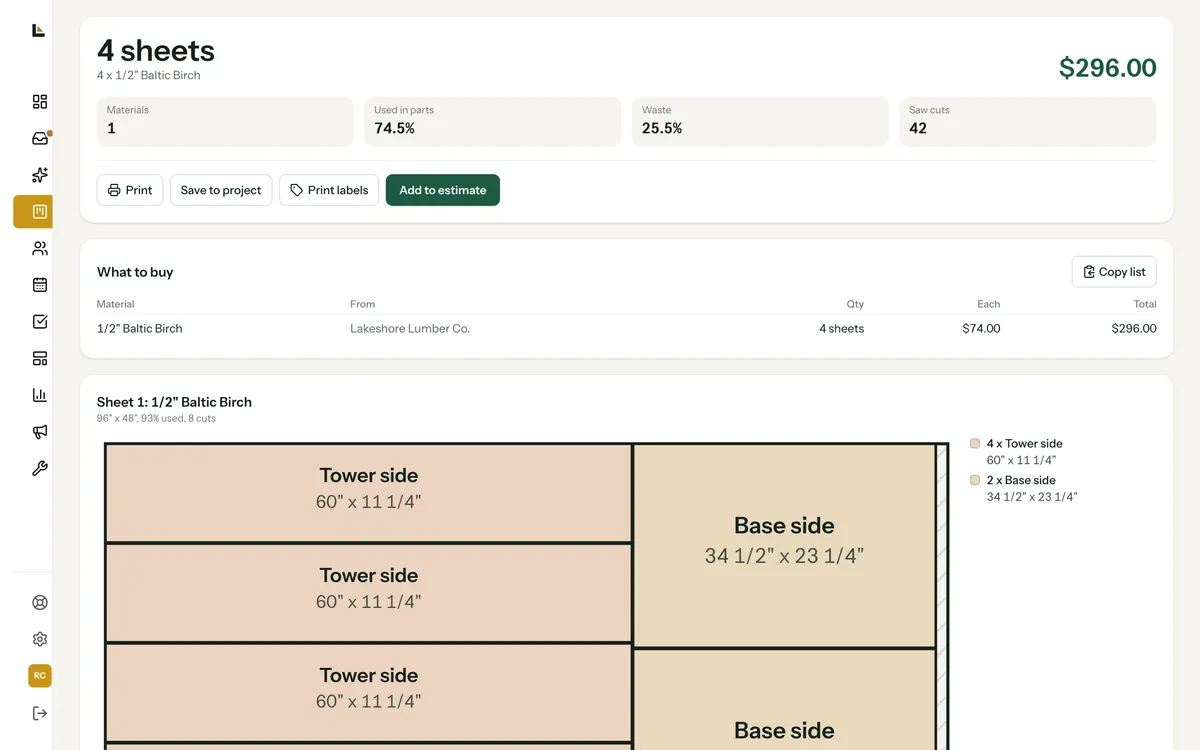
Sheets to buy, and one line per material on the estimate.
Plan my cuts lays the parts on your sheets and boards with your blade thickness, tells you how many to buy, and draws every sheet. Add to estimate puts one line per material on the estimate with the waste already counted, and Print labels makes a sticker for every part.
What it does, and what it leaves to you.
How you build a box is your call. Square Away prices it, lays it out and labels it.
A machine read of a drawing is a starting point. Nothing goes on the estimate until you tick it.
The cut planner plans the cuts a table saw or panel saw makes.
Estimates and the Price Book are on every plan. Drawing reads and the cut planner come with Shop and Crew.
More on cabinet estimates.
How do I figure out how many sheets of plywood a cabinet job needs?
List every part with its finished size, group the parts by material and thickness, and lay them out on full sheets with your blade kerf counted. The number of sheets in that layout is your count. Rough square footage leaves out the kerf and the leftovers, so it comes up short.
Should I price cabinets by the linear foot or by the box?
A linear foot price is quick for a ballpark, but price the real job from the parts list and your hours. Boxes, drawers and doors take different time, and a linear foot number hides that.
Do I put doors and drawer boxes on the cut list?
Only if you make them. If you buy them, price them as purchased parts with their lead time, and leave them off the sheet layout.
Estimate one of your jobs on the call.
Bring a cabinet job you're pricing now, or the designer's cut list. We'll set up your Price Book and build the estimate with you.