It draws the piece from a photo and your notes.
Shop Hand, the AI assistant in Square Away, turns a client's photo and your notes into a dimensioned shop drawing, asks about anything it can't see, and the client approves the drawing from their phone.
Send Shop Hand the client's photo and your notes. It tells you what it can see, asks about what it can't, and draws a dimensioned plan in your shop's way of building. You check it, send it, and the client approves it from their phone.
Comes with the Shop plan← Back to everything Shop Hand does
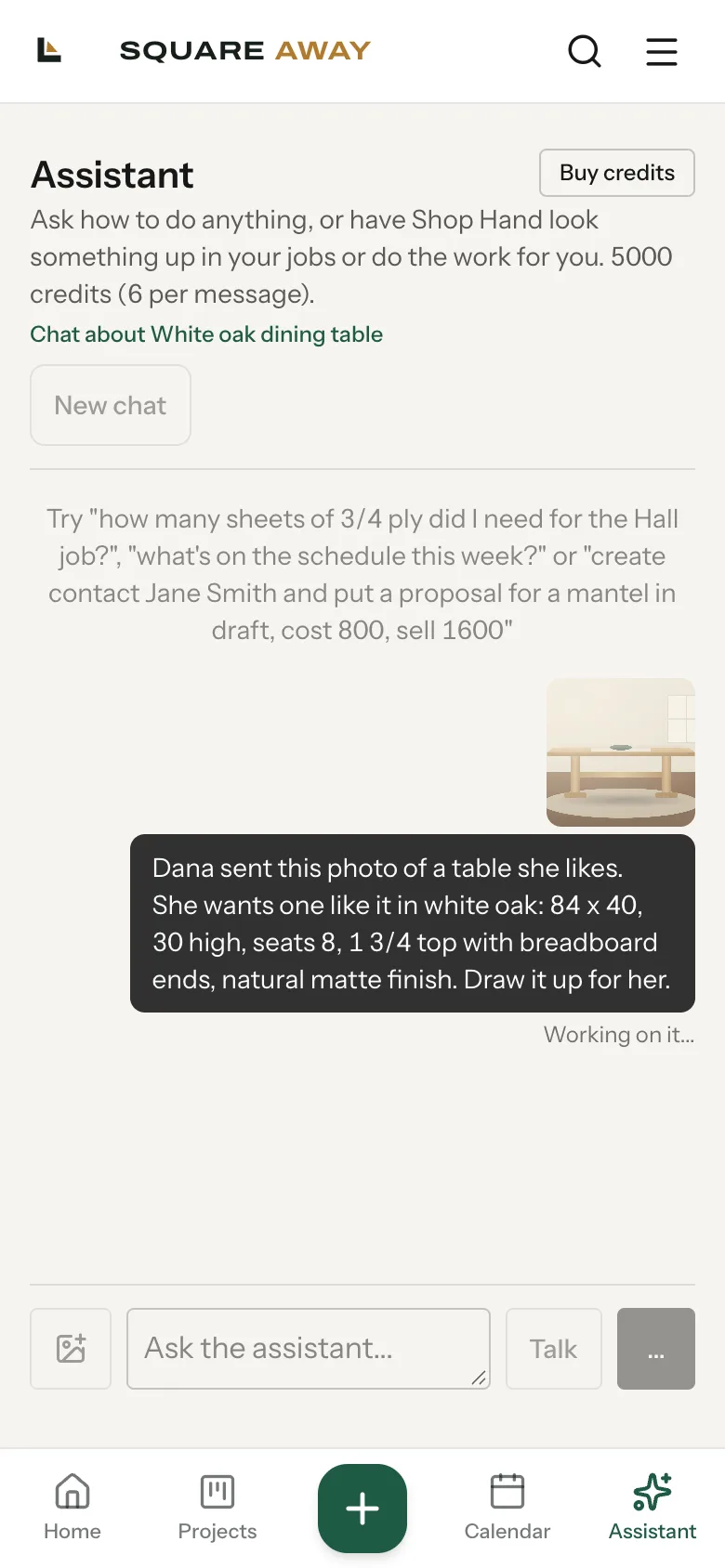
From a photo to a drawing the client signs.
Photo and notes in
The picture the client sent, plus what you already know: size, wood, top thickness, how many it seats.
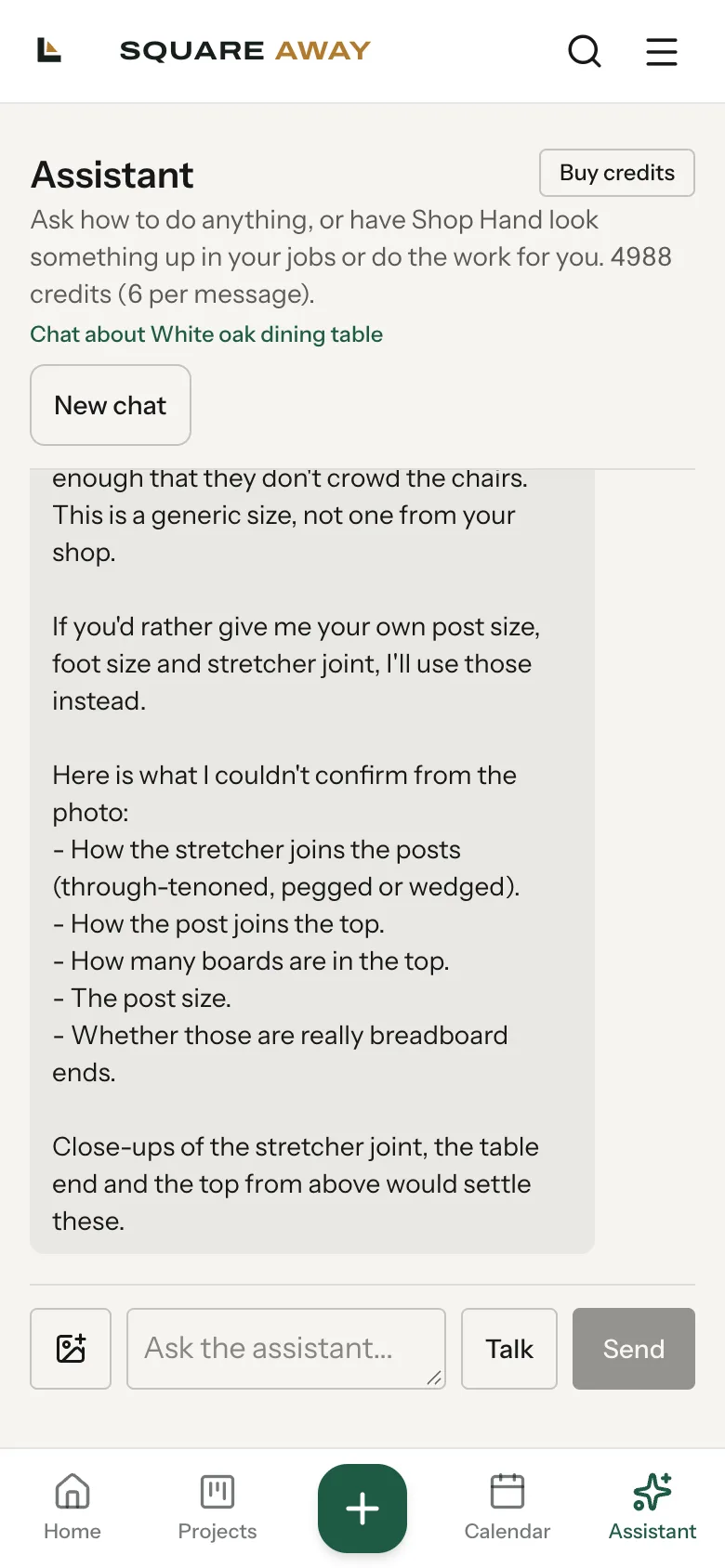
It asks what it can't see
It never reads a final size off a photo. Anything it can't confirm, it asks you, with its pick and why.
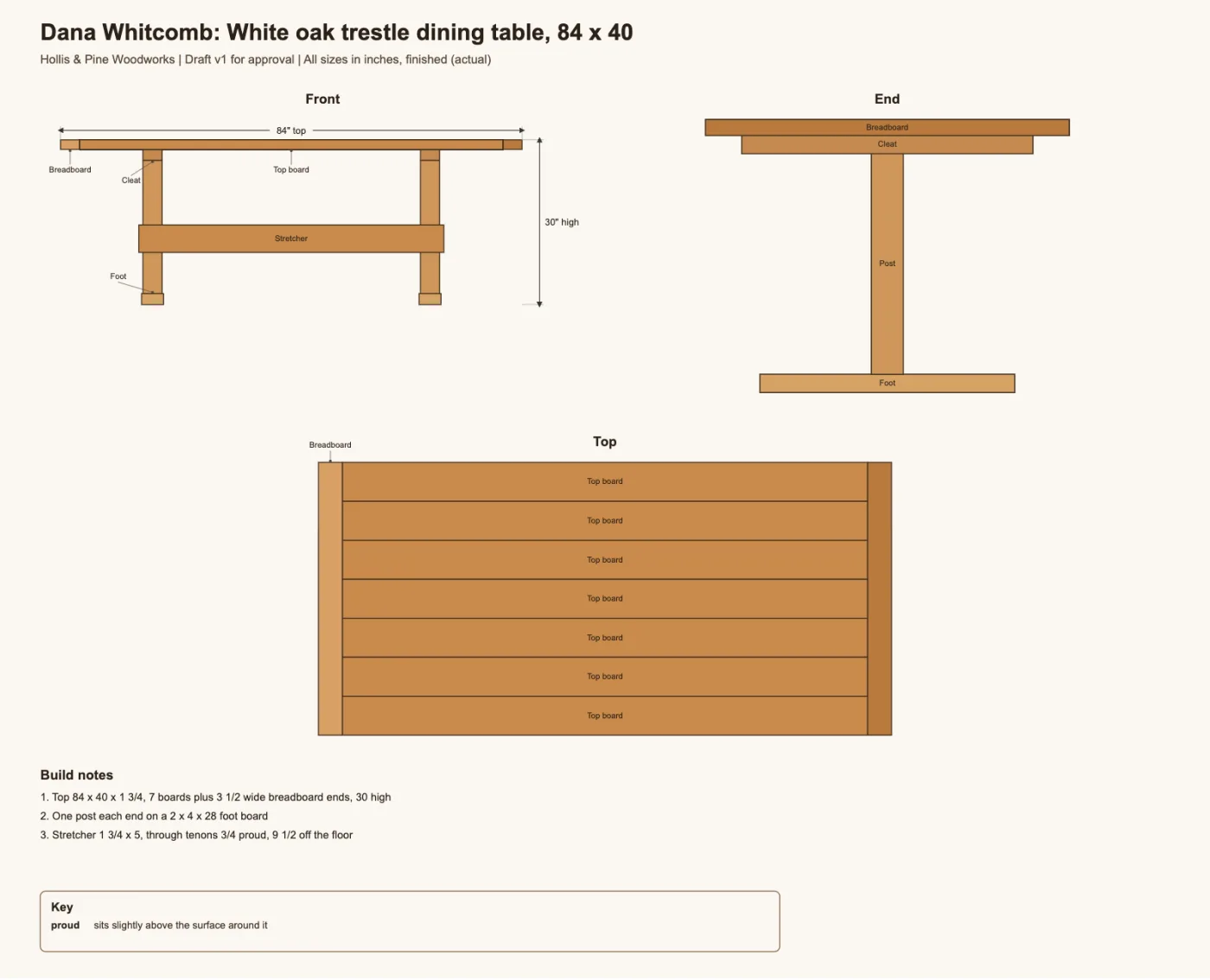
The drawing
Front, end and top views, build notes, and a box showing what it saw versus what it guessed.
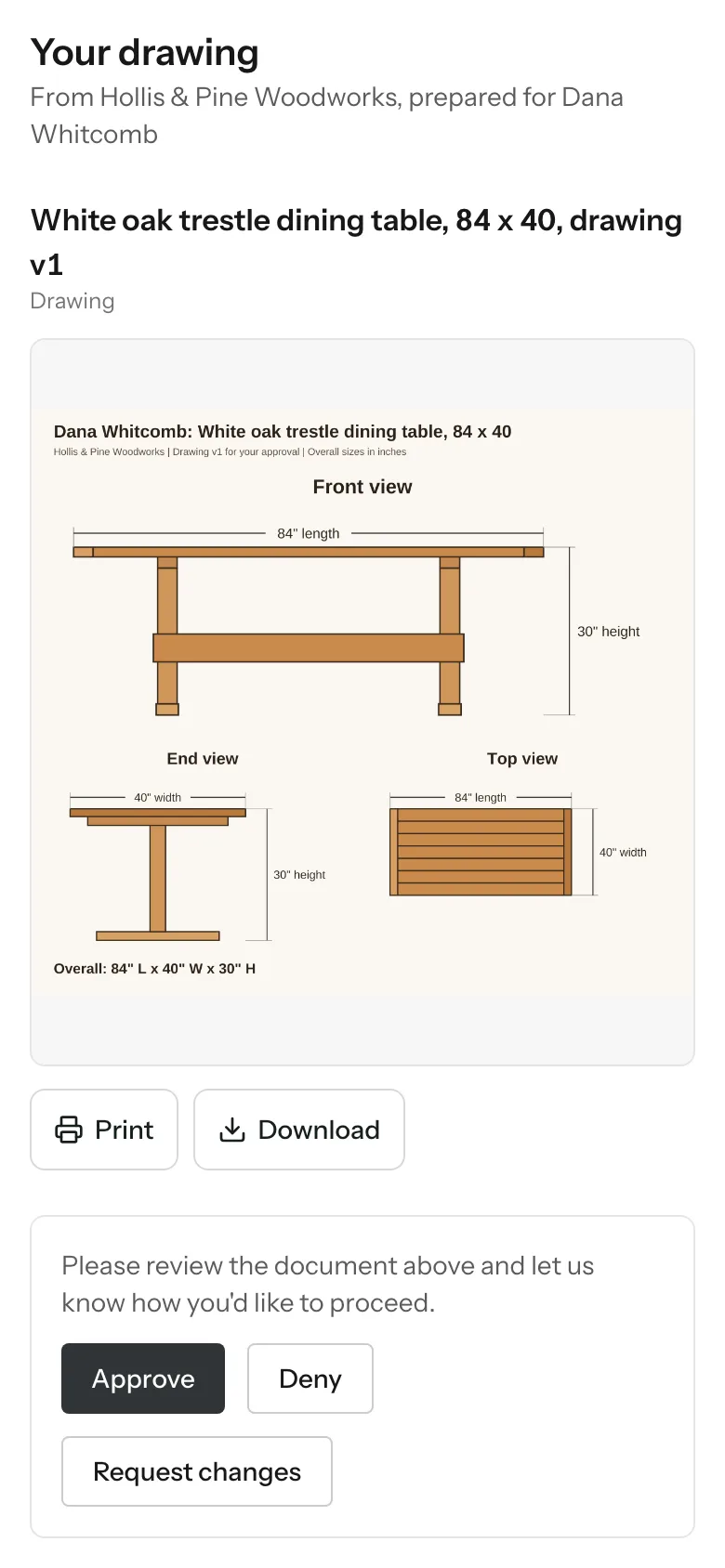
Client approves
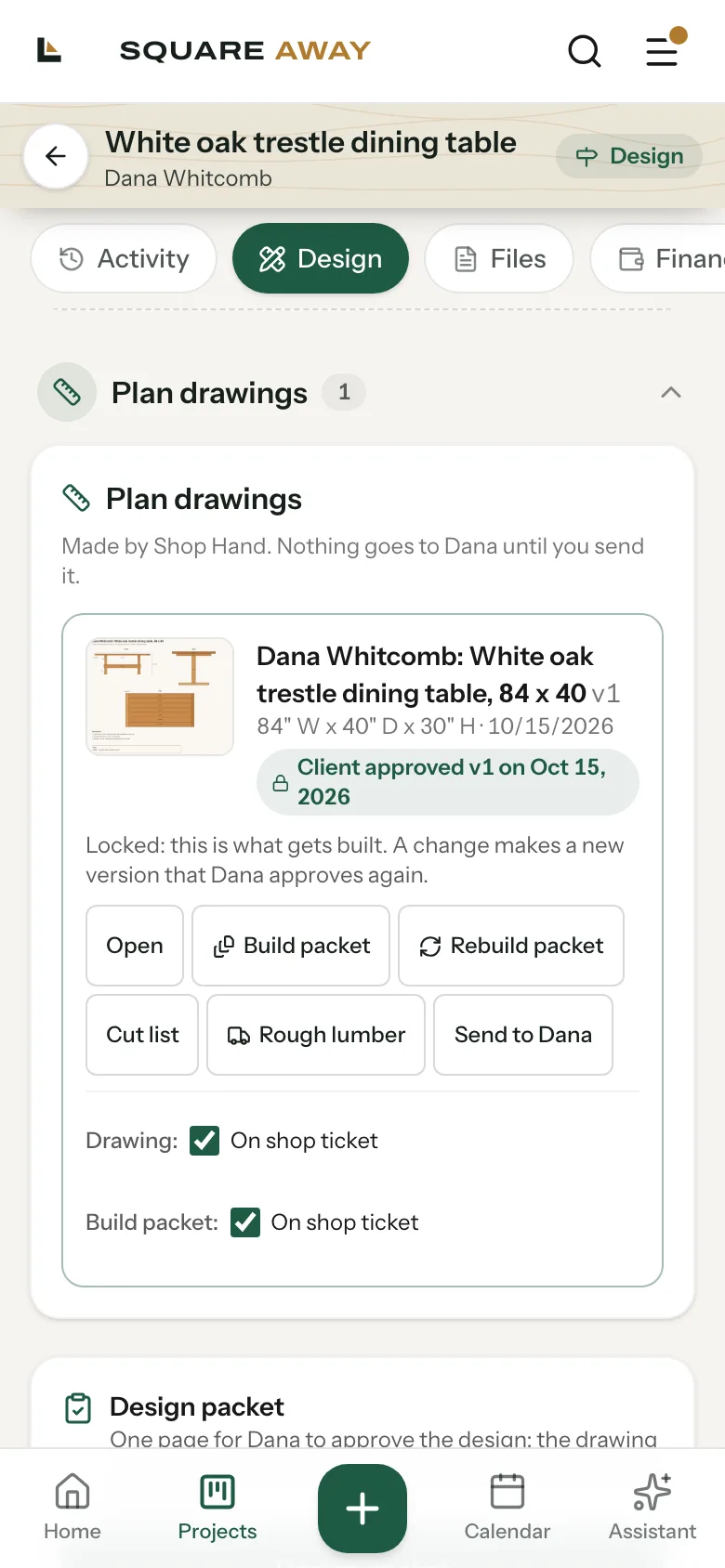
Send it from the job. They sign to approve on their phone, and that version locks as what gets built.
It asks once, and remembers how your shop works.
Shop Hand only asks about what it can't figure out. Tell it something is how you always build, like the thickest stock you buy or how you join a stretcher, and it saves that as your shop rule. Next job, it doesn't ask again.
- Never guesses a size off a photo. The client's size or yours, nothing in between.
- Says what it can't confirm. Joinery, post size, board count, listed plainly so you can answer fast.
- Your rules, not a template. Answers you mark as "always" become how it draws for your shop.
A real plan, not a sketch.
Front, end and top views, every board named, build notes, and your shop's name on it. Each change makes a new version, and the old ones are kept for the record.
Approved from their phone, locked for the shop.
Send the drawing from the job. The client sees your drawing with your shop's name, and taps Approve or Request changes. Once approved, that version locks as what gets built, and any change makes a new version they approve again.
What it does, and what it leaves to you.
Views, sizes, part names and build notes, checked so every number adds up before it shows you anything.
Anything it can't see, it asks. Nothing it draws is final until you approve it.
Drawings stay with you until you tap send. The client only sees what you send.
Your shop name on the drawing, your sizes and your rules. The store's photos are only read, never sent.
Bring a photo to the setup call.
Send us a piece a client wants and we'll draw it with Shop Hand together, on your account.