How do I let a client pick a style and finish on a proposal?
Group the choices by slot, like door 1 hardware or the stain on the island, and give each option its finishes with their own price and a swatch. The client picks one option and one finish per slot, the total follows what they pick, and only the picks go on the invoice. Anything they skip never shows up on the bill.
Clients like to choose. You just don't want to rebuild the quote every time they change their mind between bronze and black.
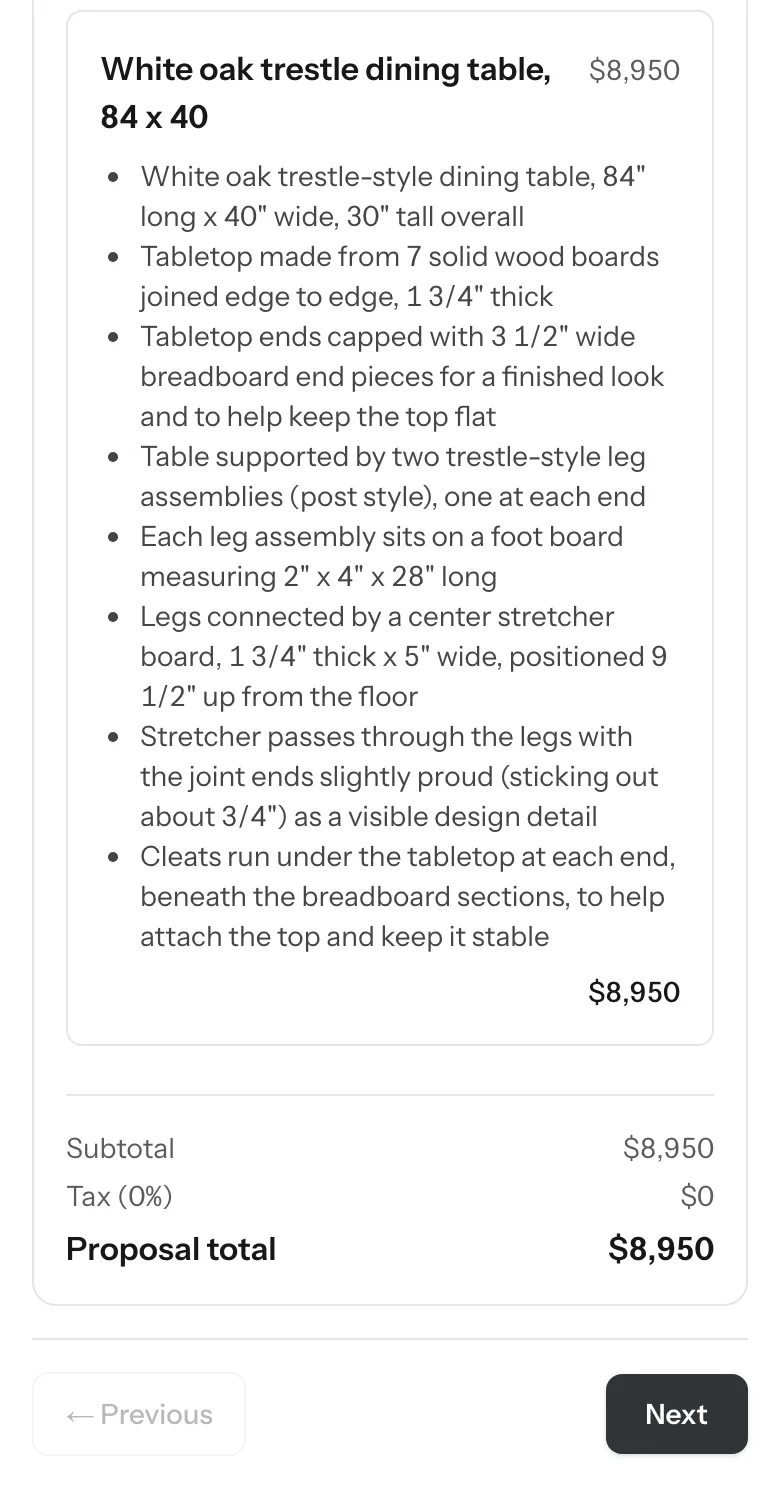
Choices without rebuilding the quote.
One slot per choice.
Door 1 hardware, door 2 hardware, island stain. One choice per slot keeps it clear.
Options, then finishes.
The style first, like a strap or a pull, then the finishes it comes in.
Price every finish.
Its own price, or a little more or less than the option. No surprises later.
Show a swatch.
A photo of the real finish beats a color name every time.
Let them skip what's optional.
Some slots are a must pick. Some are nice to have.
Bill only what they picked.
The invoice should read exactly what's being built, nothing they passed on.
Reuse what you sell often.
Pieces you build over and over belong in a product list with their price, options and materials.
Style and finish on the proposal.
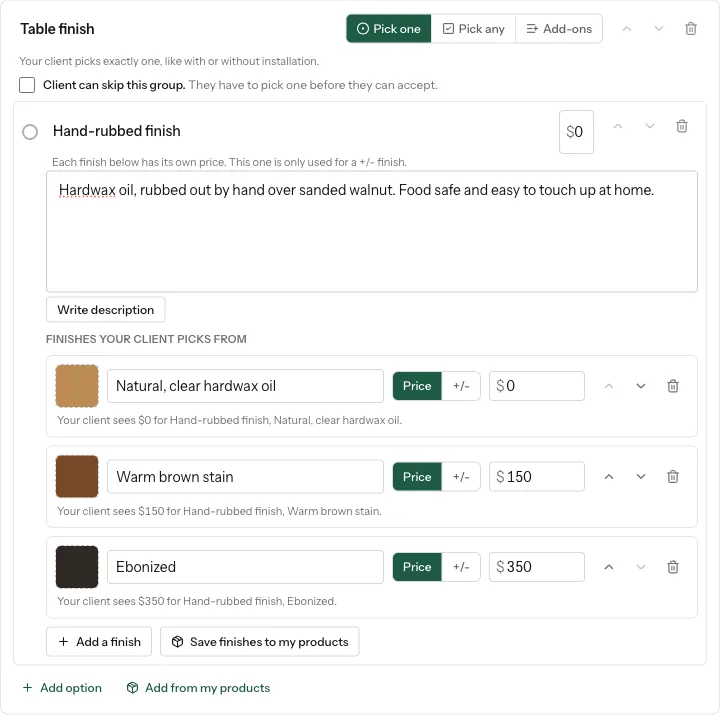
On a computer, open the proposal, Add page, Service options. Name the group, like Door 1 hardware, then Add option and under it Add a finish. Each finish gets its own price, or a plus or minus on the option, and a swatch picture. Add a Pick one group for the next slot, and tick Client can skip this group if it's optional.
- The client taps an option and chooses a finish from the swatches. Their total updates, and the payment schedule follows: a percent deposit stays that percent.
- You see what they picked on the job's Files tab, in the proposal builder and in the accepted email.
- The invoice gets one line per pick, like "Classic wrap strap, Oil Rubbed Bronze", at that finish's price. Unpicked options never reach the invoice.
- Works in Pick one, Pick any and Add-ons groups. Templates keep your options and finishes, never a client's picks.
Products, on the estimate and the form.
In Tools, Products, add the things you sell again and again, like a vanity or a floating shelf: a photo, a short description, a starting price, options like size or species, and your cost, shop hours and install hours, which only you see.
- Add product on the estimate puts it on at its product price. Your cost and hours come along as lines at your own rates, and the description reaches the proposal and the client's view.
- A Products block on your lead form lets a client tick what they want, with prices shown only if you turn that on.
- Materials to build one. Give a product a recipe from your Price Book, and the job's Shop Ticket and shopping list show what to buy, times the quantity. It never shows up on the bill or to the client, and a finished job keeps the list it was built with.
What it does, and what it leaves to you.
The client picks on any phone. Building the options is a computer job.
It shows the client exactly the prices you set.
They never add to what the client pays.
Only the owner and people who can see money manage products.
More on options and finishes.
Can a client pick a different finish for each door?
Yes. Make a Pick one group for each door, give each option its finishes and swatches, and the client picks one per door.
Does the invoice include options the client didn't pick?
No. Only the option and finish the client picked go on the invoice, at that finish's price.
Can a product carry a list of materials to buy?
Yes. Materials to build one becomes the job's shopping list on the Shop Ticket, multiplied by the quantity, and never goes on the bill.
How many products can a shop have?
Up to 1,000. One lead form block offers up to 200 of them.
Build your first option proposal on the call.
Bring a job with choices. We'll set up the options and finishes and send a test proposal to your own phone.