How do I keep track of the lumber, sheet goods and hardware in my shop?
Pick the materials you keep on the shelf, count them once, and set a reorder point for each. Log every delivery and every recount with a reason, and take a job's materials off when the build is done. Then reorder when something drops to its reorder point, and buy only what the shelf doesn't already cover.
Most small shops track stock in their head until the day they're one sheet of maple short on a Saturday. You don't need a warehouse system. You need an honest count of the few things you always keep around.
A stock count a small shop can actually keep.
Track only what you keep on hand.
The plywood you always stock, your go-to hardwoods, drawer slides and hinges. Special-order stuff for one job doesn't need a count.
Count it once, in the unit you buy it in.
Sheets for sheet goods, board feet for lumber, each for hardware. Mixing units is how counts drift.
Set a reorder point.
The number where you'd want to place an order, not the number where you're out. Leave room for the lead time.
Log every change with a reason.
A delivery came in, you recounted the shelf, something got used off the books, a sheet got damaged. A reason on every change makes a wrong count easy to trace.
Let finished jobs take their materials off.
When a build is done, what it used comes off the shelf. You don't have to remember to do it.
Buy only what the shelf doesn't cover.
Before the lumber yard run, check the job's list against what's already on hand.
Recount now and then.
Once a quarter, or whenever a number looks off. A real count always beats the math.
Shop stock, on every plan.
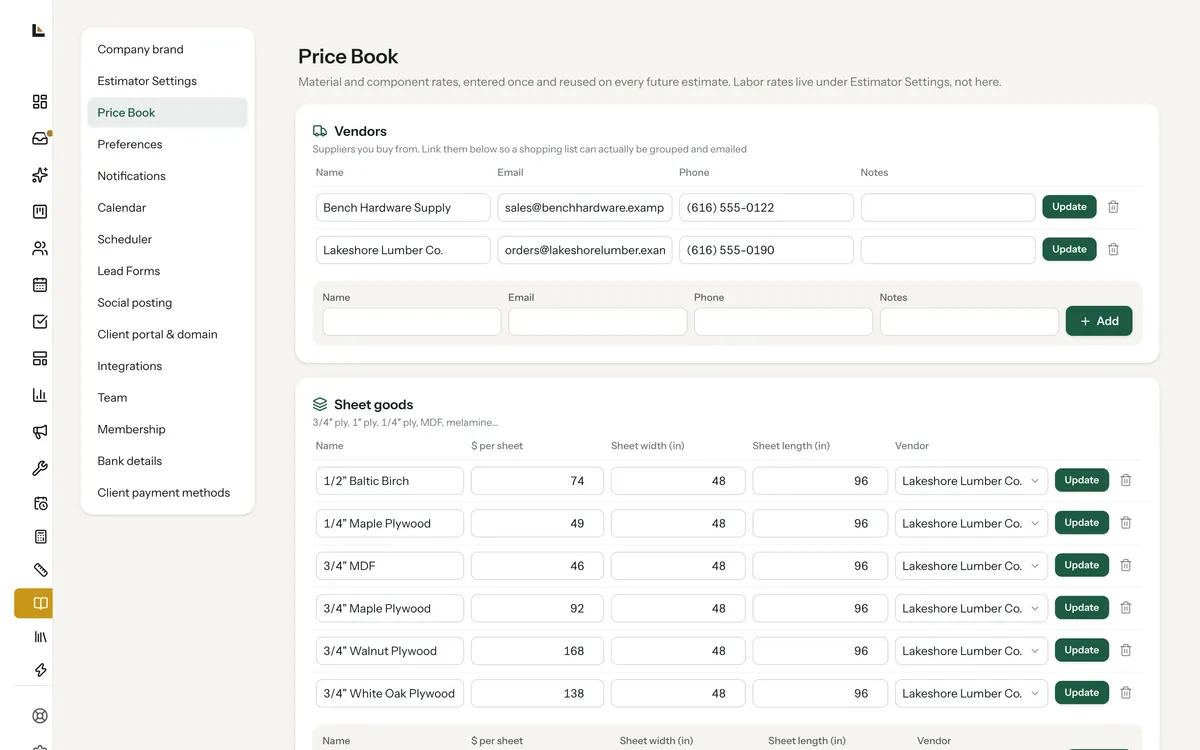
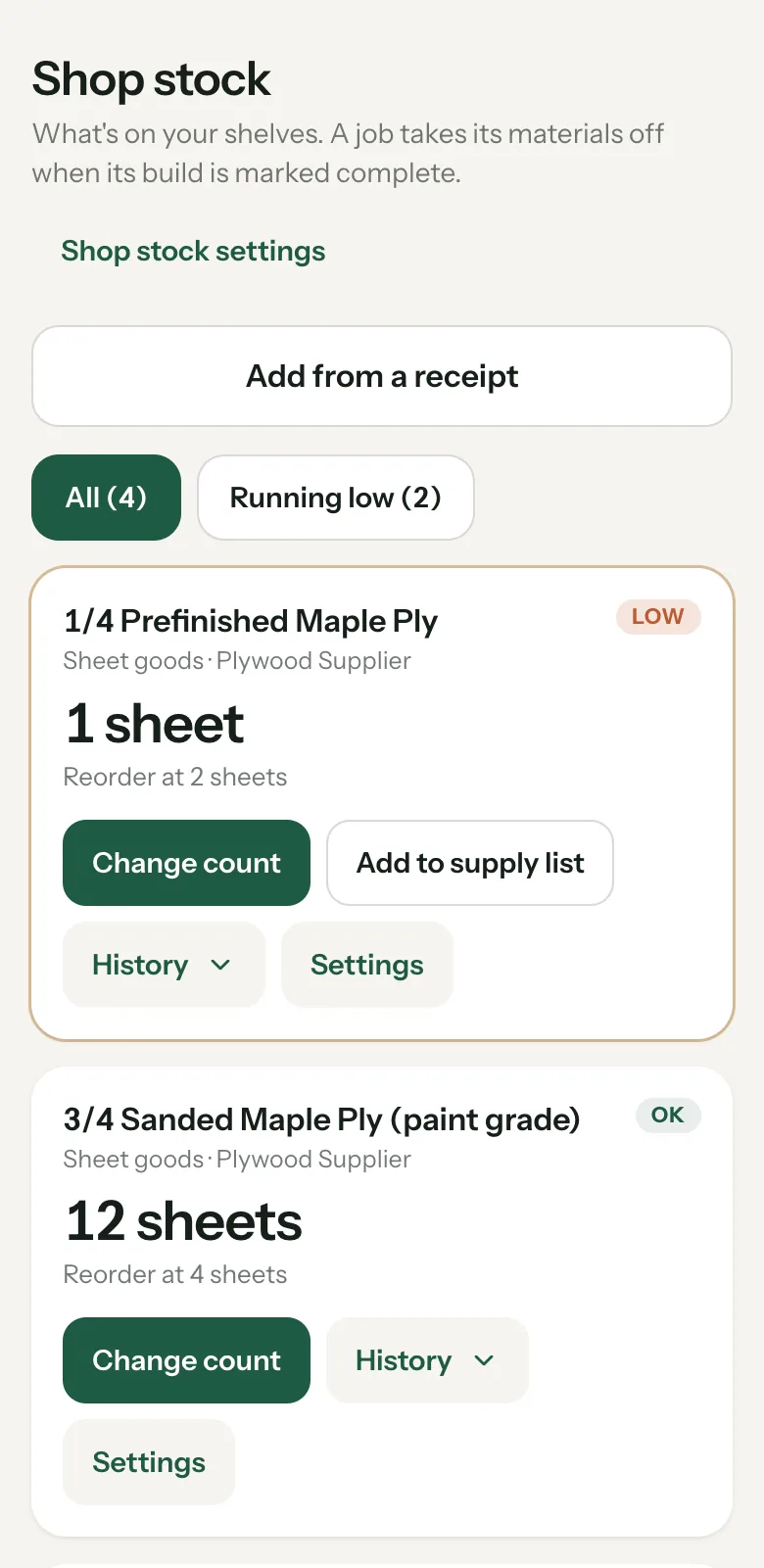
Open Work, then Shop stock. It's built on the materials already in your Price Book, so there's nothing to type twice. The owner picks what to track: tap Track on a material, fill in On the shelf now and Reorder at, then Start tracking.
- Sheet goods by the sheet, lumber by the board foot, hardware each. Every card shows what's on hand, the reorder point and a Low or OK tag.
- Change count asks why. Delivery came in, Counted the shelf, Used, not on a job, Damaged or scrap, or Other with a note. Every change is in History with who made it and when.
- Jobs take their own materials off. When a job's build is marked complete, or it moves to a ready or done stage, each tracked Price Book material on its estimate comes off once, in the same unit you track it in. It never goes below zero.
- Running low shows up on Home with an Open Shop stock button, and owners get one phone alert when a material hits its reorder point. One tap adds it to the supply list.
- The job's shopping list only asks you to buy what the shelf doesn't cover.
Bring your price list in from a file.
If your prices live in a spreadsheet, you don't have to retype them. In Tools, Price Book, tap Import your existing prices and pick a CSV or Excel file, up to 2,000 rows. Match your columns (only the item name and your cost are required), check every row, choose what to do with duplicates, then import. Matching by column name is free; letting AI match the rest of your columns uses 6 credits. Prices like "$42/sheet" read fine.
Doors and drawer fronts you buy by the square foot? Set Priced by to $ per square foot on that purchased component. On the estimate you type the square feet, and a job's door list adds them up for you.
What it does, and what it leaves to you.
It starts from the number you type in. If the shelf and the screen disagree, Counted the shelf sets it straight.
Materials come off for Price Book items on the job's estimate, in the unit you track. Scrap and extras you log yourself.
Leave Reorder at blank and that material never warns you.
The whole crew can see the counts. Picking what's tracked and setting reorder points is the owner's call.
More on shop stock.
Is shop stock an extra charge in Square Away?
No. Shop stock is on every plan, Bench included.
Does buying materials for a job add them to stock?
No. Mark purchased means you bought it for that job, so it doesn't change the shelf. Log a delivery with Change count when stock comes in for the shelf.
How do I track lumber I buy in board feet?
Track that Price Book lumber by the board foot. A job takes it off in board feet when the estimate uses the same unit.
Can I import my price list from a spreadsheet?
Yes. Tools, Price Book, Import your existing prices takes a CSV or Excel file up to 2,000 rows and shows every row before anything is saved.
Set up your shelf on the call.
Bring your price list. We'll get it into your Price Book and start tracking the materials you always keep on hand.